
Google Dashboard is a new service that shows a summary of the data stored with a Google account. You’ll soon find a link to Google Dashboard in the “personal settings” of the “my account” page.
Google is coming with a new service called Google Dashboard which basically is a summary view of virtually all of your data that Google has saved, according to a video posted on the Google Privacy YouTube channel. When the video was given “embargoed until 2am PT, November 5th” and now the video is no longer available.
In the overview you see Google product information with links to any of the product that you currently have activated. If you want to see such information from Gmail. In the dashboard you can see the number of messages currently in your mailbox, the number of messages you have sent, chat history and the number of messages in the trash.
Lets see another example with YouTube: In summary your username, age, number of favorites, and playlists are also links to the specific settings of YouTube. Further on the Dashboard the number installed iGoogle gadgets, YouTube Data, Docs, Reader, Tasks etc are shown.

The Dashboard can be found by going after logging in with your Google Account such as Google.com on the top right, go to Settings and click on ‘Google Account Settings’. Under the heading “Personal Settings” there is an option to view this Dashboard, which brings you to a login page to verify your account.
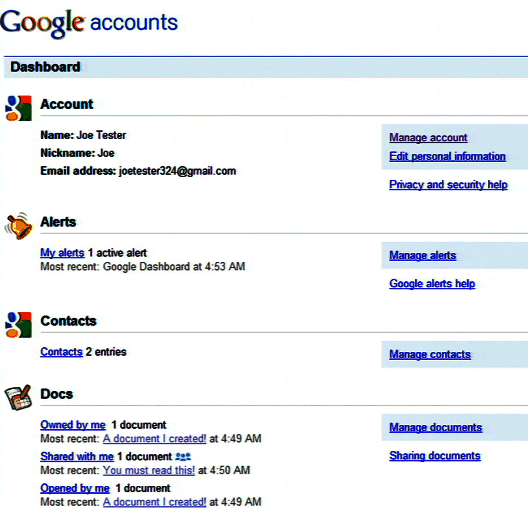
Here is a screenshot of Google Dashboard from Google system blog:
Although this feature is not available for everyone yet!
